Table of Contents


Building and exporting your corpus
Now that you've collected the URLs, you're ready to build your corpus. First, BootCaT downloads the web pages. Then you can export the corpus as a ZIP file to your computer.
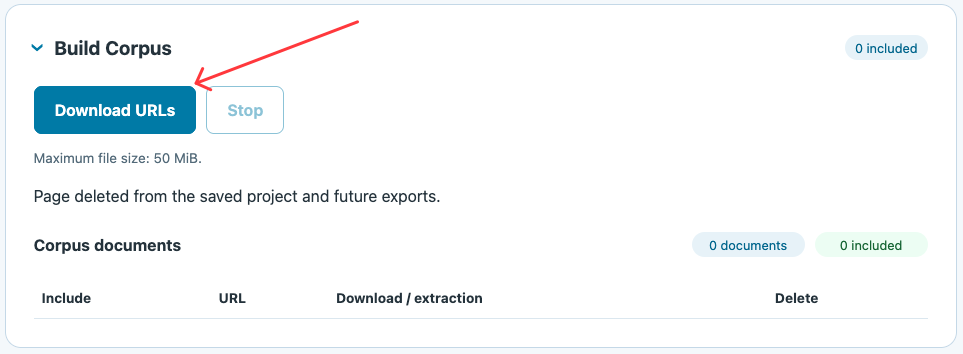
1. Download the web pages
Click on “Download URLs” to start downloading the pages from your collected URLs and building your corpus.
2. Wait for the build to finish
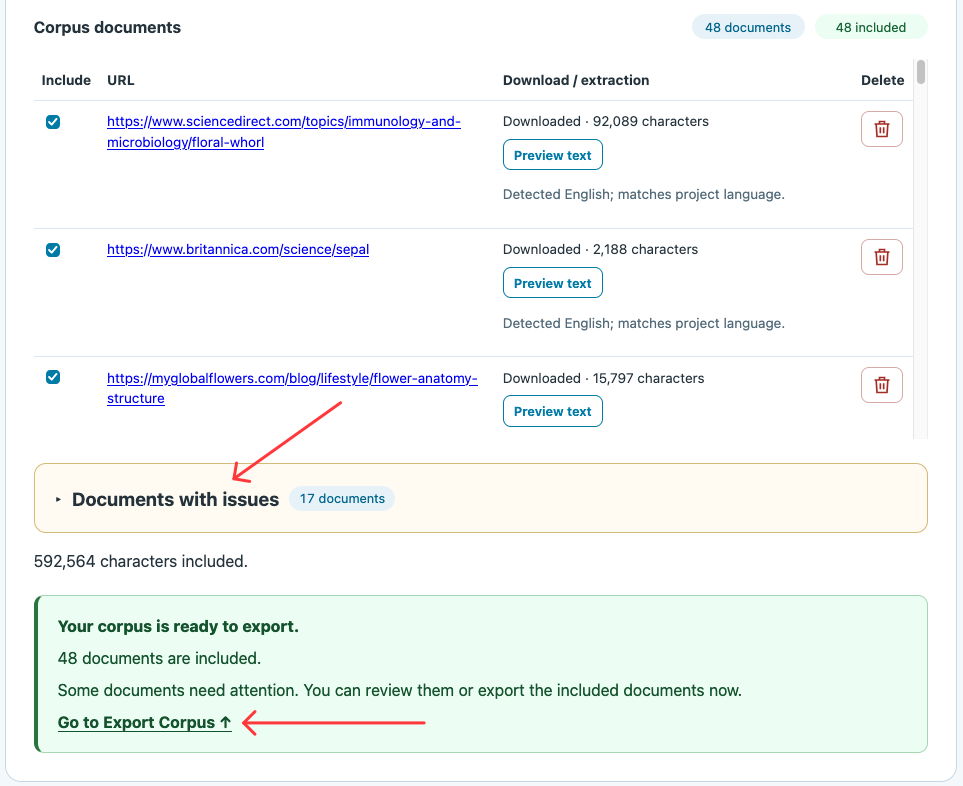
Wait until downloading has completed.
Optional: While the download is in progress, you can review downloaded pages and examine documents with issues. For this tutorial, we'll skip this review and proceed to export.
Once downloading has finished, click on “Go to Export Corpus”.
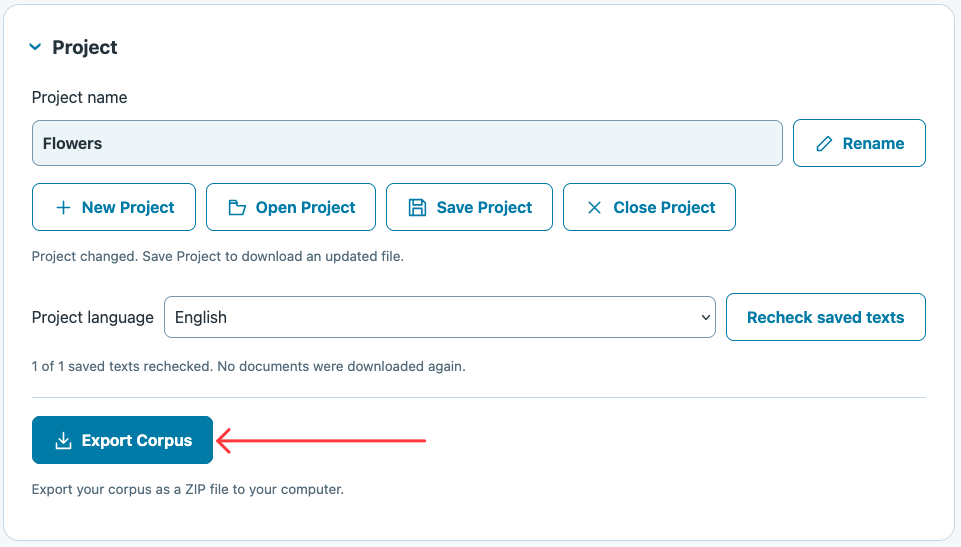
3. Export your corpus
You'll return to the “Project” section. Click on “Export Corpus” to download your corpus as a ZIP file.
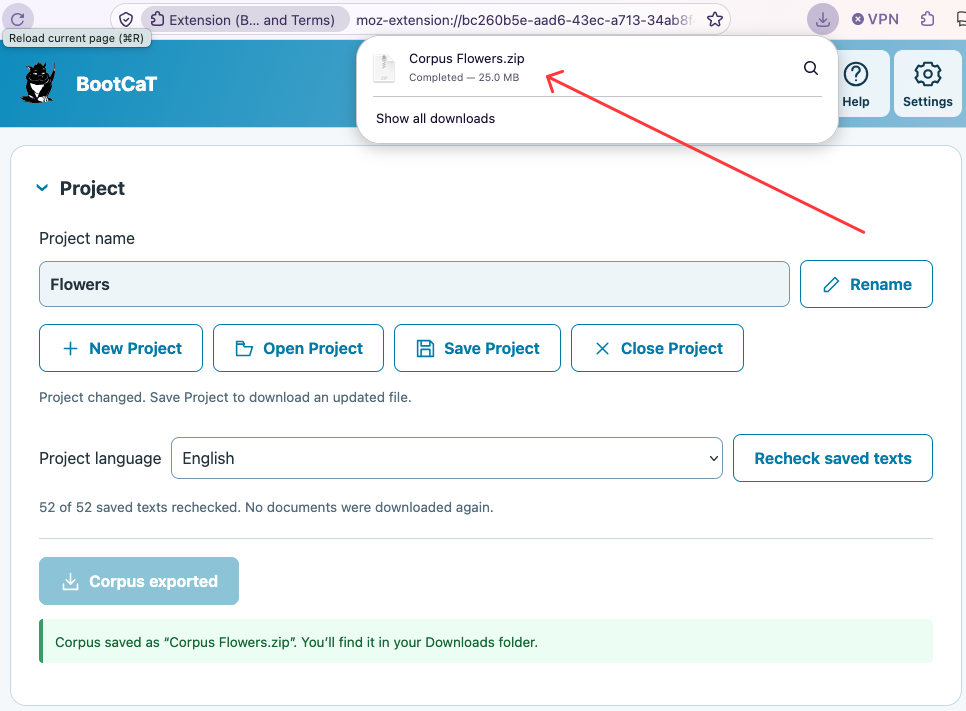
4. Locate the downloaded ZIP file
Exporting starts the download of “Flowers corpus.zip”. Once the download has finished, you'll find the file in your browser's download location, usually the Downloads folder on your computer.