

Seeds and tuples
Seeds are words or phrases associated with the topic of your corpus. BootCaT uses them to create search queries, so your choice of seeds affects which web pages it finds.
1. Enter your seeds
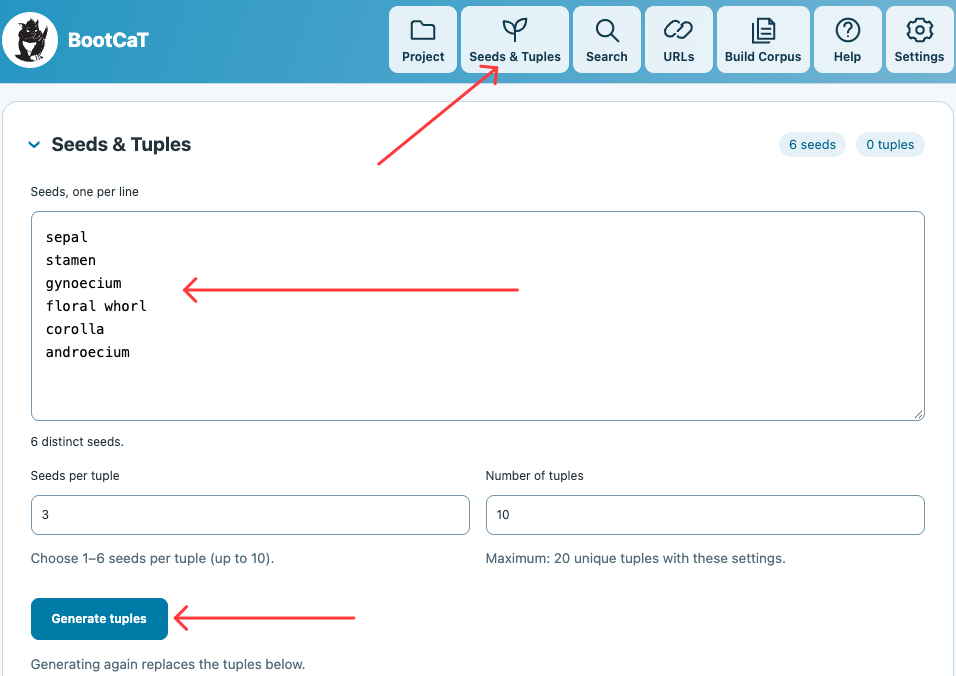
Click on “Seeds and Tuples” and type or paste the following six seeds into the text box. Enter one seed per line, keeping multi-word seeds such as “floral whorl” on a single line.
sepal
stamen
gynoecium
floral whorl
corolla
androecium
Note: By default, you must provide at least five seeds. You can change this minimum in “Settings”.
2. Set the tuple length and number
BootCaT randomly combines your seeds into groups called tuples. Each tuple will be used to create a search query.
The tuple length is the number of seeds in each group. For this tutorial, set the length to 3.
Set “Number of Tuples” to 10. The maximum number of possible tuples depends on both the number of seeds and the tuple length. With six seeds and a tuple length of three, there are 20 possible combinations. The maximum is shown below the “Number of Tuples” box.
Note: A tuple length of three is a typical choice for a specialized corpus. A length of two can be useful for a general language corpus built using general language words.
3. Generate and review your tuples
Click on “Generate Tuples”.
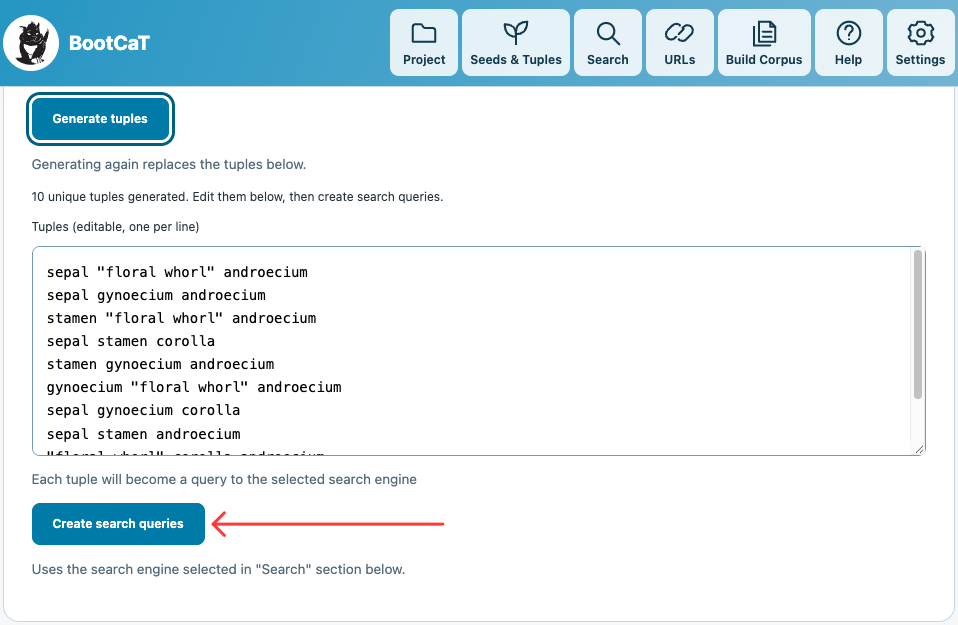
You'll now see the generated tuples. You can edit them manually, but for this tutorial, leave them as they are. Because the combinations are chosen randomly, your tuples may differ from those in the screenshot.
4. Create search queries
Click on “Create Search Queries” to proceed to the next step.