Collecting search results in batches
On the previous page, you collected results from one query manually. You can open the remaining queries together and collect their results in a batch.
1. Run the remaining queries
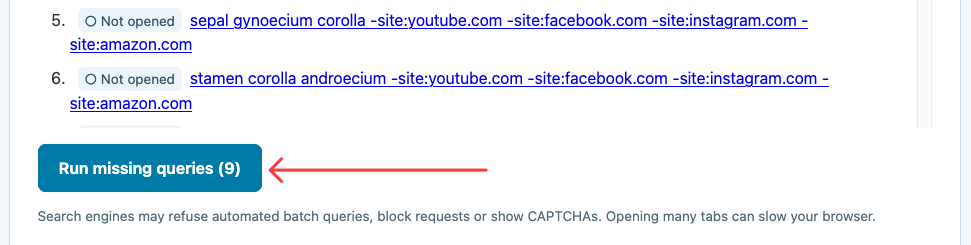
Click on “Run missing queries”. The number of unopened queries appears in parentheses. If you generated ten queries and collected one on the previous page, you'll have nine remaining.
A warning dialog will appear. Read the warning, then click on “Run missing queries” to open the remaining search queries in separate tabs.
2. Resolve any CAPTCHA challenges
Some search results may not load until you complete a CAPTCHA. BootCaT marks these search tabs with a “Needs attention” badge.
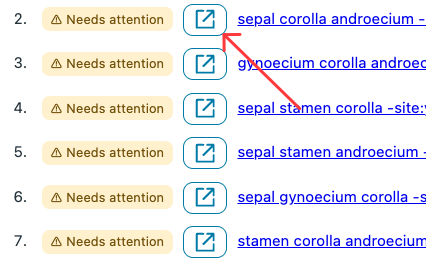
Click on the button next to a tab marked “Needs attention” to open it. Complete the CAPTCHA and wait for the search results to appear. Then return to BootCaT, where the tab will be marked as “loaded”.
Repeat this for any other tabs that need attention. For this tutorial, wait until all the search results have loaded before collecting them.
3. Collect URLs and close the search tabs
Click on “Add URLs and close search tabs”.
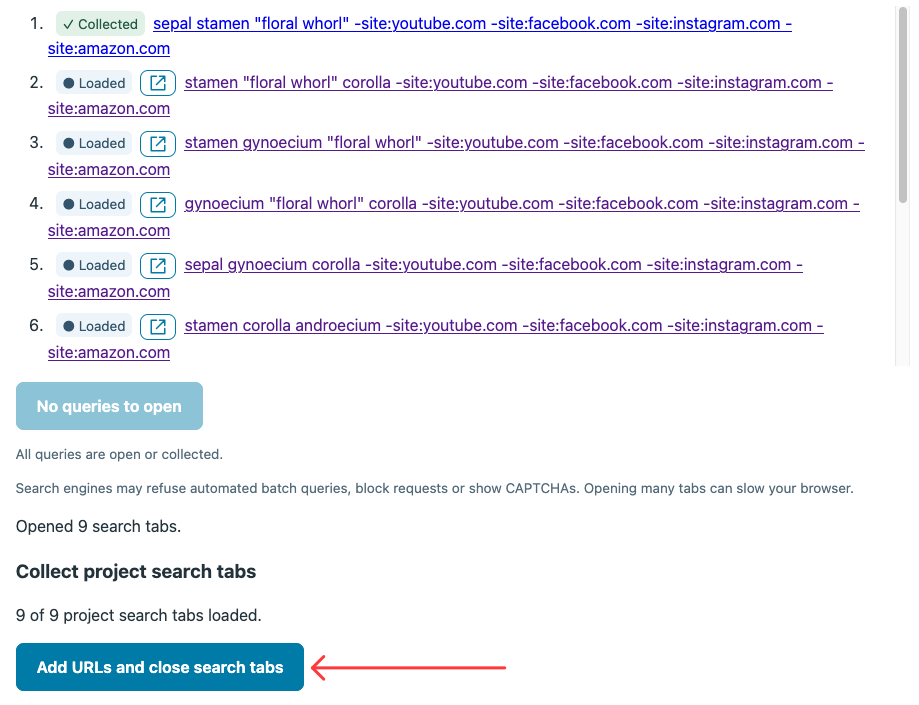
BootCaT collects URLs from the loaded search results and closes those tabs. Tabs still marked “Needs attention” remain open.
Note: You can collect results as soon as at least one search tab has loaded. If some tabs still need attention, complete their CAPTCHA challenges and collect their results in another batch.
4. Check the collected URLs
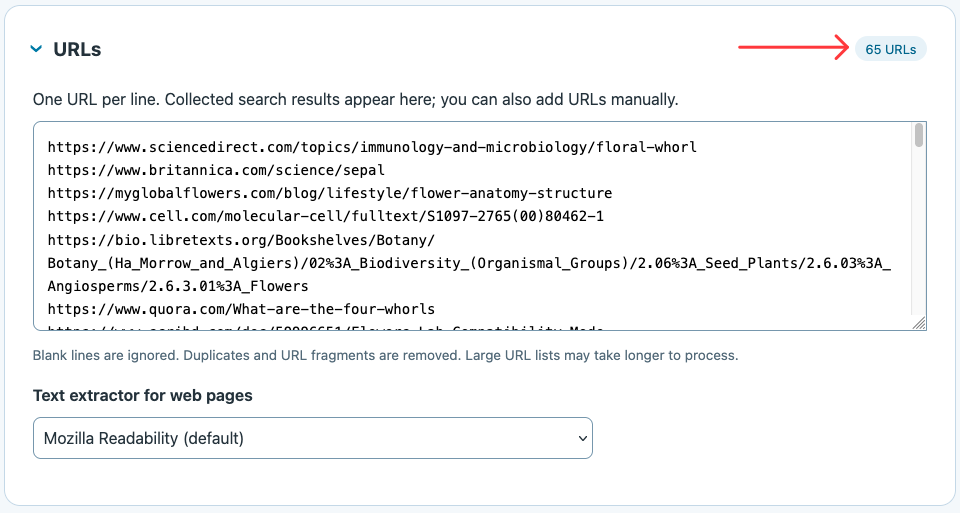
BootCaT scrolls down to the “URLs” panel, where you'll see the collected URLs.
You may collect fewer than 100 URLs from ten queries returning approximately ten URLs each, because different queries can return the same pages. BootCaT automatically removes duplicate URLs.
Your total may also differ from the screenshot because search results change over time.